Young Leaders

AI Filmmaking course for ages 11–18

Live online · weekends

Their first film, written, shot and cut by themFrom watching videos to making a filmThey write the AI prompts. They shoot the film.A first film for their portfolioA film shot at home, starring the family

They finish with a 60–90 second film, a poster and an AI-disclosure card.In 5 weeks they write, shoot and edit a 60–90 second film, with the family as the cast.No child's face, voice or photo goes into an AI tool. They finish with a 60–90 second film and an AI-disclosure card.A 60–90 second film they wrote, shot and edited, graded by an industry panel at the Final Review.Your child writes it, directs whoever is at home, shoots it on a phone and edits it. Then an industry panel grades it.

First batch
January–February 2027
Ages
11–18
Length
5 weeks
Apply now2 minutes · no payment

You hear the fee on a 20-minute call, before you decide. Full refund within 7 days of the first session.

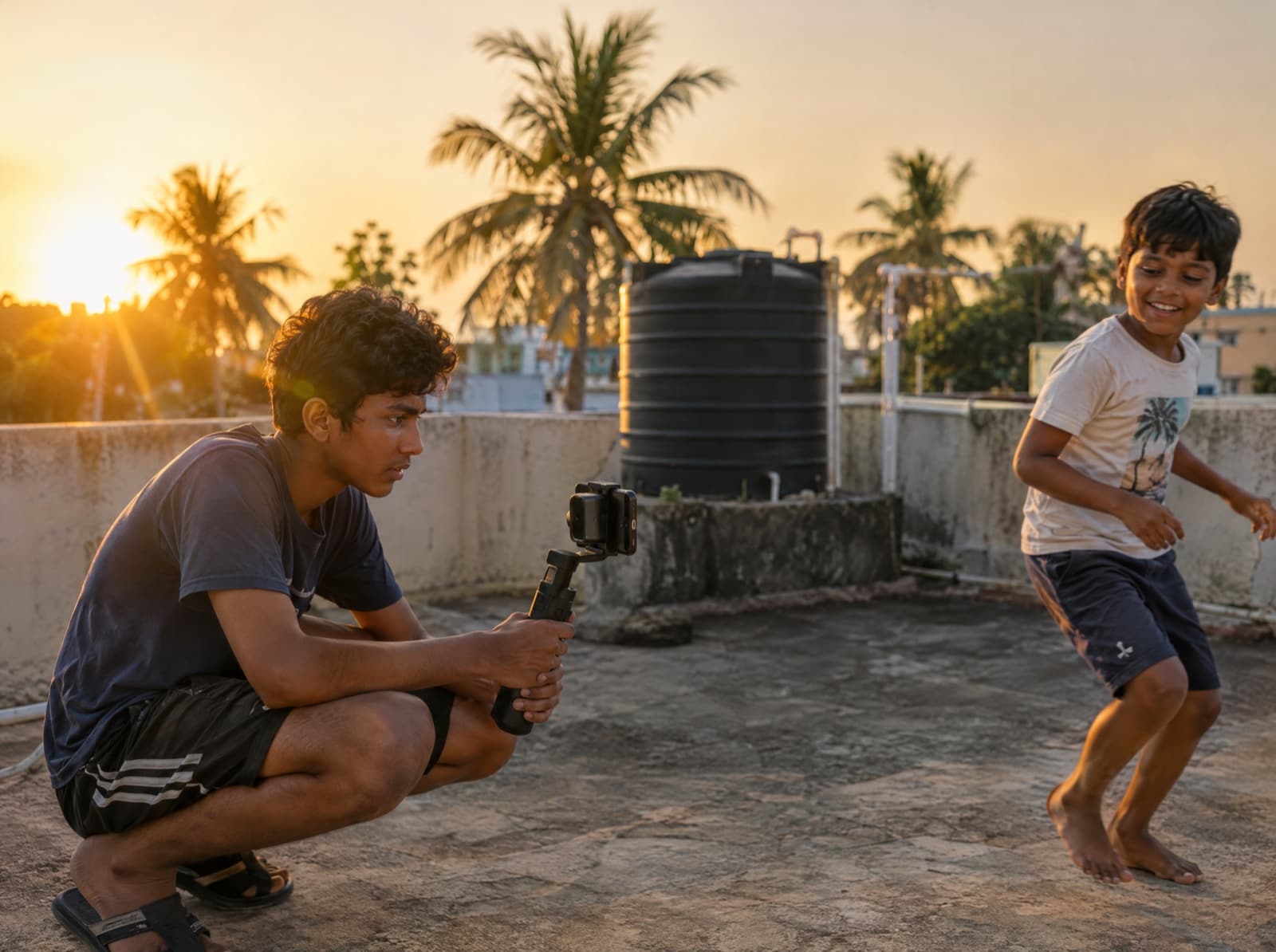
A teenage boy crouches on a rooftop at sunset, filming his younger cousin with a phone on a gimbal.
The film, 60–90 seconds
The poster
The AI-disclosure card
AI disclosureSample

The Last Laddoo · a film by Meher, 12

AI used for
Storyboard frames, poster background
No AI in
Faces, voices, footage or the edit

AI Filmmaking is a 5-week live online filmmaking course for ages 11–18 in which each child writes, shoots and edits a 60–90 second short film.

AI Filmmaking at a glance

Ages
11–18, in 11–13 and 14–18 pods
Length
5 weeks
Format
Live online. Weekend live sessions, plus shooting and editing at home.
Each live session
60–120 minutes
Group size
Up to 10 children in a group.
First batch
January–February 2027
Taught by
Industry-grade filmmakers who use AI tools in their own work.
Judged by
A veteran director or a leading name in the film industry.
What they make
A 60–90 second film they wrote, shot and edited, a poster and an AI-disclosure card.
AI use
Children write the prompts; a teaching assistant runs them on a LevelUp account and checks the output first. No child's face, voice or photo goes into a generative tool.
Why it matters

Every child watches videos. Few can make one.

A film asks your child to write, plan every shot, direct people who don’t always listen and finish on a deadline. Then people who make films for a living grade it.

  • Admissions

    Top colleges ask what your child has made

    A finished film shows what your child can plan, lead and deliver.

    = gradesMIT rates what applicants do outside class “Important”, the same as grades.

    MIT Common Data Set, 2025–26

  • Everyday life

    Video is how the world explains things now

    Making one shows them how a video is built to steer the viewer.

    75%of all mobile data traffic was video by the end of 2025.

    Ericsson Mobility Report, June 2026

  • With AI everywhere

    AI makes the pictures. Your child makes the calls.

    They write the prompts, judge the results and say what AI did.

    62%higher pay offered in job ads that ask for AI skills.

    PwC Global AI Jobs Barometer, 2026

From a one-line idea to a finished film in 5 weeks. Ages 11–13 and 14–18 work in separate pods.

Apply now 2 minutes · no payment
Sound familiar?

Signs your child is ready to make a film

Tap the ones you’ve seen. Next to each is the week that builds on it.

Nothing ticked yet.

Seen two or more?

Apply now
First batch: January–February 2027

How much time does it take each week?

Weekend live sessions, plus shooting and editing at home. Each live session runs 60⁠–⁠120 minutes, with a filmmaker and a teaching assistant on the call.

  1. Week 1 Film language

    Shot sizes, angles and the five-⁠shot sequence. Watching like a filmmaker.

  2. Week 2 Story and script

    A logline, a short three-⁠act story and a script, with family as the cast.

  3. Week 3 AI previsualisation

    Storyboards and AI previs: children write the prompts, an assistant runs them.

  4. Week 4 The shoot

    Directing people, light and sound on set, and getting enough coverage.

  5. Week 5 Edit and finish

    Rhythm, sound, music and titles, then picture lock. A LevelUp editor exports the final file.

Week 4, at home

Shot at home, with the family as cast

The cast is whoever is around: a grandparent, a cousin. A phone is the camera; there is no kit to buy.

Call sheetSample

The Last Laddoo · shoot day

Cast
Nani, as Nani. Meher, as herself.
Camera
Kabir, 9, with Mum's phone
Wrap
Before Nani's 9 pm serial

Up to 10 children in a group. The Final Review follows week 5.

Apply now 2 minutes · no payment
Week 1, in miniature

Five shots can tell a whole story

Week 1 teaches the five-shot sequence. Drag the playhead through a sample 15-second film: The Last Laddoo.

Storyboard frame, wide shot: an apartment block at night with one kitchen window lit.
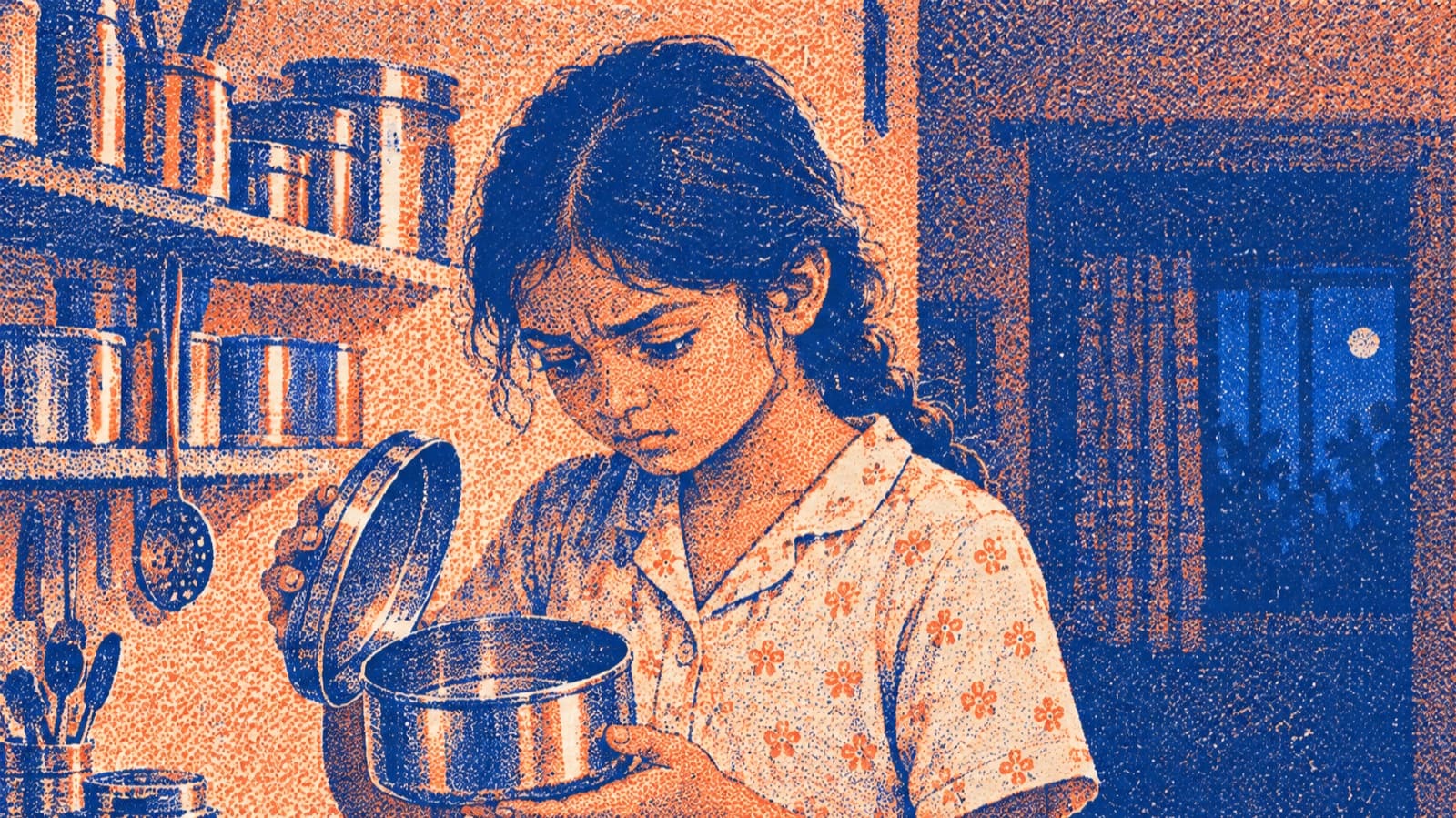
Storyboard frame, medium shot: a girl in pyjamas lifts the lid of a steel tin in the kitchen.
Storyboard frame, close-up: two hands hold an empty steel tin with a few crumbs and a paper liner.
Storyboard frame, cutaway: a trail of laddoo crumbs across floor tiles to a pair of chappals by a table leg.
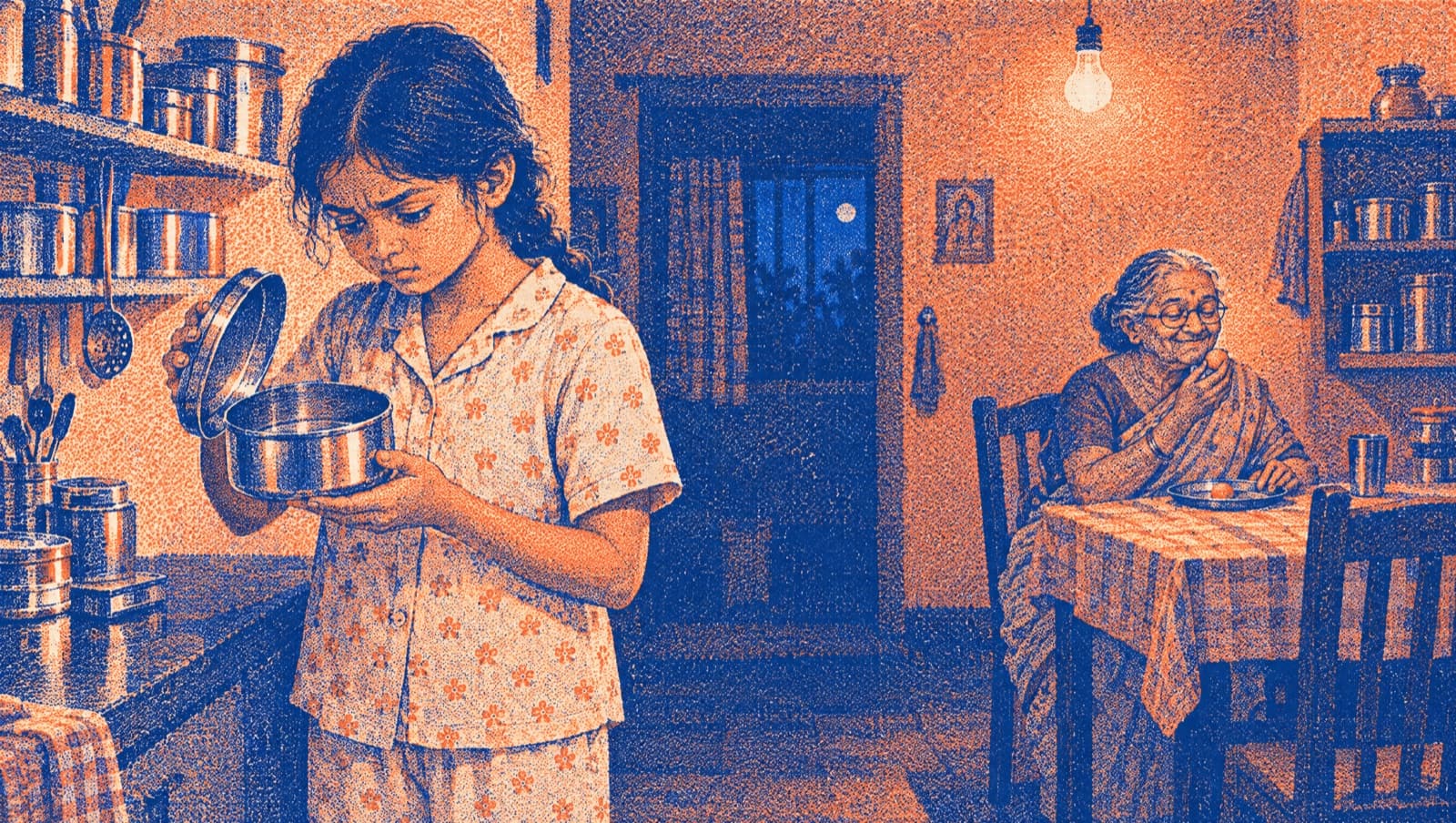
Storyboard frame, reveal: the girl stares into the empty tin while her grandmother sits behind her at the table, smiling, eating the last laddoo.
Sample · AI-generated storyboard

Drag the playhead, throw it, or tap a shot. Arrow keys step through.

Shot 1 of 5 · 3.5 seconds

Wide

Shows the audience where they are, and when.

One lit window in a sleeping building. Someone is awake, and the audience wants to know why.

Shot 2 of 5 · 3 seconds

Medium

Shows who, and what they are doing.

Meher at the counter, lifting the lid. Close enough to read her face, wide enough to see her hands.

Shot 3 of 5 · 2 seconds

Close-up

Shows the one detail that matters.

The tin is empty. The audience finds out at the same moment she does.

Shot 4 of 5 · 2 seconds

Cutaway

Shows something else in the room.

The crumbs stop at Nani's chappals. Now the audience knows something Meher doesn't.

Shot 5 of 5 · 4.5 seconds

Reveal

Shows the answer by widening the frame.

Pull back, and Nani was there all along, eating the last laddoo. Every shot before this one set it up.

The Final Review

What will my child make?

A 60–90 second film they wrote, shot and edited, a poster and an AI-disclosure card. The Final Review is their premiere: your child introduces the film and it plays for an industry panel while you watch online. The panel grades it Distinction, Merit or Pass.

A film by Meher, 12The Last LaddooSample title card

Who teaches AI Filmmaking, and who judges?

Faculty
Industry-grade filmmakers who use AI tools in their own work.Named here before the first batch.
Teaching assistant
In every live session.Runs the AI tools on a LevelUp account and checks every result.
Editor
A LevelUp editor.Exports the final file from your child's locked cut.
Final Review panel
A veteran director or a leading name in the film industry.Grades the film against the week-1 rubric.

LevelUp's masterclass directors may sit on some panels. They don't teach the cohorts.

Theirs to keep, whatever the grade

  1. The 60–90 second film
  2. Its poster
  3. The AI-disclosure card
  4. A graded certificate
For parents

You see how it is going, without sitting in

Your child works with working filmmakers. You still know what happened each week.

Week 1
The grading rubric, so you know the standard from the start.
Every Friday
A Progress Note on WhatsApp.
Within 48 hours
Written feedback on your child's work.
All along
A parents-only WhatsApp group with the team.
The last weekend
You watch the Final Review live, online.
Afterwards
The film, its poster, the AI-disclosure card and the graded certificate, to keep.
Apply now 2 minutes · no payment

You hear the fee on a 20-minute call, before you decide. Full refund within 7 days of the first session.

AI and safety

How is AI used, and is it safe?

Your child directs the AI but never holds the account. In week 3, AI helps sketch each shot before filming. No child’s face, voice or photo goes into an AI tool.

  1. Writes the prompt Your child

    “Storyboard frame, wide shot: an apartment block at night, one kitchen window lit.”

  2. Runs it LevelUp

    A teaching assistant runs the prompt on a LevelUp account, on a shared screen.

  3. Checks it first LevelUp

    An adult checks every result before your child uses it.

  4. Decides Your child

    Use the frame, rewrite the prompt, or leave it out. Your child’s call.

    The storyboard frame that prompt produced: an apartment block at night, one window lit.Checked
AI disclosureSample

The Last Laddoo · a film by Meher, 12

AI used for
Storyboard frames, poster background
No AI in
Faces, voices, footage or the edit

Every film carries a card like this one.Every film carries an AI-disclosure card, like the sample at the top of this page.The storyboard frames on this page were made the same way.

In every cohort

  • Two adults in every live session.
  • Faculty never message children privately.
  • Sessions recorded for safety review, deleted within 90 days.
  • Cameras encouraged, never required.
  • Minimal data, never sold.
How to join

Apply now. Pay only if it fits.

Nothing to pay to apply. A counsellor tells you the fee after your child’s profile, before you decide.

  1. Apply · 2 minutesYour child's age, your names and your WhatsApp number.
  2. Strengths Profile · 30 minutes, freeYour child does it now or at a time you pick. Not an IQ test.
  3. Counsellor call · 20 minutesWe go through the report, tell you the fee and any scholarship, and say plainly whether this cohort fits or another one does.
  4. A seatPay only if you want it. Full refund within 7 days of the first session.
  • Top 10% of each age band: merit scholarship
  • First batch January–February 2027
  • Up to 10 children a group

Admit one

Young Leaders Strengths Profile

30 minutes · at home · now or later

Apply now2 minutes · no payment

You hear the fee on a 20-minute call, before you decide. Full refund within 7 days of the first session.

Questions parents ask

How much does it cost?

Fees depend on the programme and are shared on your free 20-minute counsellor call, along with any scholarship your child earns. The top 10% of each age band earn a merit scholarship. Nothing is paid to apply.

What if it isn’t right for my child?

Tell us within 7 days of the first session and we refund the full fee.

Will you keep calling me?

No. There is one call: the 20-minute session, at a time you pick. Everything else comes on WhatsApp, and if you say stop, we stop.

Will it take time from studies?

Live sessions run 60⁠–⁠120 minutes, at weekends only. Between them your child writes, shoots and edits at home, mostly off screen. The first batch runs January–February 2027: if that clashes with board exams or pre-boards, tell the counsellor before you take a seat.

My child has never filmed anything. Is that a problem?

No. Week 1 starts with film language: shot sizes, angles and the five-shot sequence. Children learn with others near their age, in 11⁠–⁠13 and 14⁠–⁠18 pods.

My child is camera-shy. Can they still join?

Yes. They can stay behind the camera and direct; the cast is the family. In live sessions, cameras are encouraged, never required.

Does AI make the film?

No. Your child writes, directs, shoots and edits it. In week 3, AI helps sketch storyboard frames: your child writes the prompts, a teaching assistant runs them and checks each result. No child's face, voice or photo goes into an AI tool, and every film carries a card that says what AI did.

What equipment do they need?

A phone that records video is enough for the shoot; there is no camera or lighting kit to buy. For the live sessions, a laptop or tablet with a steady internet connection.

Why start with a Strengths Profile?

It shows where your child is strong, so the counsellor can tell you plainly whether AI Filmmaking fits or another cohort fits better. It takes 30 minutes and it is free. It is not an IQ test.

Who teaches?

Industry-grade filmmakers who use AI tools in their own work, background-verified and named here before the first batch. A teaching assistant joins every live session, runs the AI tools on a LevelUp account and checks every result.

How many children are in a group?

Up to 10 children in a group. Ages 11⁠–⁠13 and 14⁠–⁠18 work in separate pods.

Is 11 too young?

No. The cohort starts at 11, and children aged 11⁠–⁠13 work in their own pod. Children write the prompts; a teaching assistant runs them on a LevelUp account and checks the output first. No child's face, voice or photo goes into a generative tool.

Is it online?

Yes. Live sessions are online, at weekends. Your child shoots and edits at home between them, and you watch the Final Review online.

Is there a certificate?

Yes. The panel grades the film Distinction, Merit or Pass against the week-1 rubric. Whatever the grade, your child keeps the film, its poster, the AI-⁠disclosure card and a graded certificate.

Another question? Ask a counsellor on WhatsApp

Their first film starts with a 2-minute application

First batch: January–February 2027, in 11–13 and 14–18 pods. It ends with a premiere your family watches online, graded by an industry panel.

You hear the fee on a 20-minute call, before you decide. Full refund within 7 days of the first session.

Compare all four cohorts
Illustration: a vintage film camera.